Sophia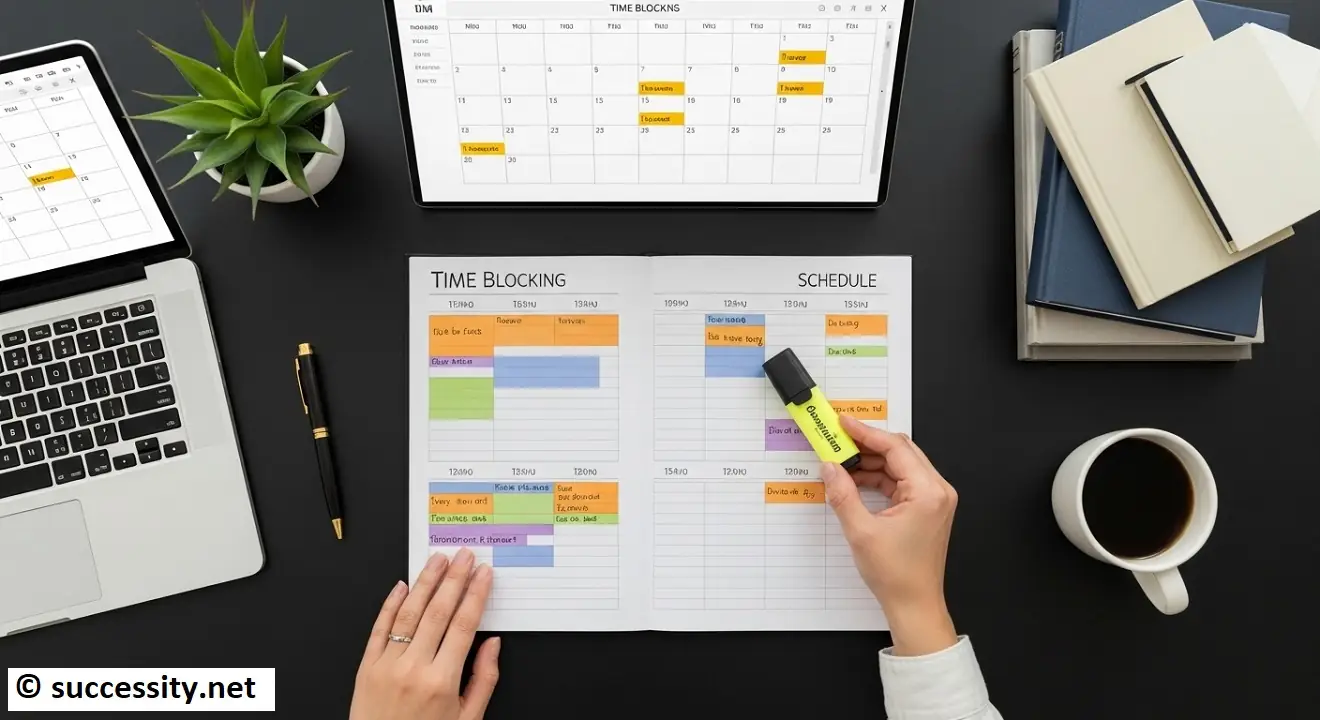
time blocking
Ever get to the end of the day, look back at your to-do list, and feel a wave of disappointment? You were busy. You answered emails, you jumped on calls, you put out fires. Your entire day was a blur of activity. Yet, the most important projects on your list remain untouched, staring back at you.
If this sounds familiar, you’re not alone. In a world of constant notifications and competing priorities, it’s easy to confuse activity with accomplishment. We react to what’s urgent, letting our most important goals slip away, day by day.
But what if you could take back control? What if you could end each day feeling not just busy, but genuinely productive and accomplished?
That’s the promise of time blocking, a time management method used by some of the world’s most productive people, from Cal Newport to Elon Musk. It’s not about working more; it’s about working smarter. This is your ultimate guide to understanding, mastering, and implementing the time blocking method to finally conquer your schedule.
What is Time Blocking? A Simple Definition
At its core, time blocking is the practice of scheduling out every part of your day in advance. Instead of working from a vague to-do list, you assign every task, no matter how small, a specific “block” of time in your calendar.
Think of it this way: a to-do list is a wish list. A time-blocked calendar is a concrete plan of action.
You’re essentially making appointments with yourself to get things done. That 90-minute slot from 9:00 AM to 10:30 AM isn’t just “work time”; it’s “Draft the Q3 Marketing Report” time. The 30 minutes after lunch isn’t for randomly checking your inbox; it’s your dedicated “Reply to Client Emails” block.
By giving every minute of your day a job, you leave no room for indecision or distraction.
The 5 Science-Backed Benefits of Time Blocking
So, why does this method work so well? It’s not just about organization; it’s about aligning your schedule with how your brain is wired for productivity. The benefits of time blocking are rooted in proven psychological principles.
1. It Combats Parkinson’s Law
Parkinson’s Law states that “work expands so as to fill the time available for its completion.” If you give yourself a whole day to write a report, it will likely take the whole day. But if you give yourself a focused 90-minute block, you’ll be amazed at how efficiently you can work. Time blocking creates intentional constraints that force you to focus on what’s essential.
2. It Cultivates Deep Work
Author Cal Newport, a major proponent of time blocking, defines “deep work” as the ability to focus without distraction on a cognitively demanding task. In our hyper-connected world, this state is increasingly rare—and incredibly valuable. By scheduling uninterrupted blocks for your most important work, you are creating the necessary environment to think deeply, solve complex problems, and produce high-quality results.
3. It Reduces Decision Fatigue
Every day, we make thousands of small decisions. “Should I work on this project now?” “Should I check my email?” “What’s the most important thing to do next?” This constant decision-making drains our mental energy. With time blocking, you make all those decisions once—during your planning session. For the rest of the day, you simply execute the plan, preserving your mental energy for the actual work.
4. It Provides a Realistic View of Your Day
A to-do list can be endlessly long and deceptively simple. Time blocking forces you to confront the reality that you only have a finite number of hours in the day. When you start assigning tasks to actual time slots, you quickly realize you can’t do 20 things in one day. This helps you prioritize ruthlessly and set realistic expectations for yourself, preventing burnout.
5. It Creates a Hard Stop for Work
One of the biggest challenges today, especially for remote workers, is knowing when to switch off. When work is always accessible, it tends to bleed into personal time. Time blocking solves this by scheduling personal activities with the same importance as work tasks. When your calendar says “6:00 PM: Make Dinner & Family Time,” it gives you a clear and guilt-free signal to close the laptop.
How to Time Block Your Calendar – A 5-Step Guide
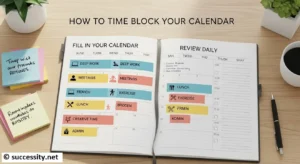
Ready to try it for yourself? Getting started is simpler than you think. Here’s how to time block your calendar and build a more intentional schedule, step by step.
Step 1 – The Brain Dump – Capture Everything
Before you can organize your time, you need to know what you’re organizing. Grab a piece of paper, a document, or a task manager and write down everything you need to do. Don’t filter or organize yet. Include big projects, small errands, personal appointments, household chores—everything. This is your master list.
Step 2 – Prioritize Your Tasks (Not All Tasks Are Equal)
Look at your master list. It’s overwhelming, right? Now, it’s time to prioritize. A great tool for this is the Eisenhower Matrix. Quickly categorize each task:
- Urgent & Important (Do First): Crises, deadlines, critical problems.
- Not Urgent & Important (Schedule): This is where your most valuable work lives—strategic planning, creative projects, relationship-building. These are perfect candidates for time blocks.
- Urgent & Not Important (Delegate): Interruptions, some meetings, tasks that don’t align with your goals.
- Not Urgent & Not Important (Delete): Time-wasters, distractions, unnecessary activities.
Focus on scheduling the “Not Urgent & Important” tasks first, as these are the ones that move your goals forward.
Step 3 – Estimate Time Accurately (Be Realistic!)
This is where many people stumble. We chronically underestimate how long tasks will take. When you first start, be generous with your time estimates. If you think a task will take 60 minutes, schedule 75 or even 90. It’s better to finish early than to have your entire day derailed by one underestimated task. You’ll get better at estimating with practice.
Step 4 – Design Your Ideal Week (Template Your Blocks)
Instead of starting from scratch every single day, create a weekly time blocking template. Think about your energy levels throughout the day. Are you sharpest in the morning? That’s the perfect time for a “Deep Work” block. Do you hit a slump after lunch? That’s a great time for an “Admin & Email” block.
Your template might look something like this:
- 9:00 – 11:00 AM: Deep Work Block 1
- 11:00 – 11:30 AM: Meeting Prep / Quick Tasks
- 11:30 – 12:30 PM: Meetings / Collaborative Work
- 12:30 – 1:30 PM: Lunch & Walk (non-negotiable!)
- 1:30 – 3:00 PM: Deep Work Block 2
- 3:00 – 4:00 PM: Email & Communication Block
- 4:00 – 5:00 PM: Daily Planning & Shutdown Routine
This skeleton gives your week structure and makes daily planning much faster.
Step 5 – Fill in Your Calendar and Review Daily
Each evening or morning, look at your template and your prioritized task list for the next day. Start dragging and dropping your specific tasks into the appropriate blocks on your calendar. Be specific! Don’t just write “Work.” Write “Finalize slides for the investor pitch.”
Most importantly, schedule breaks, lunch, and buffer time between blocks. These are not optional—they are essential for maintaining focus and preventing burnout.
Time Blocking Examples in Action
It’s one thing to talk about the theory, but what does a time-blocked schedule actually look like? Here are a few examples.
(Example 1: A Day for a Remote Worker)
- 8:30 – 9:00: Daily Planning & Coffee
- 9:00 – 10:30: [DEEP WORK] Write draft for new blog post
- 10:30 – 11:00: [BUFFER] Stretch, grab water, quick break
- 11:00 – 12:00: [COMMUNICATION] Clear high-priority emails & Slack
- 12:00 – 1:00: Lunch & walk outside (no screens)
- 1:00 – 2:00: [MEETINGS] Team Sync Call
- 2:00 – 3:30: [SHALLOW WORK] Update project tracker & schedule social media posts
- 3:30 – 4:30: [LEARNING] Complete module of online course
- 4:30 – 5:00: Shutdown Routine (clear desk, plan tomorrow)
(Example 2: A Schedule for a Student During Exam Week)
- 8:00 – 9:00: Review yesterday’s notes
- 9:00 – 10:30: [STUDY BLOCK] Chapter 5: Biology
- 10:30 – 11:00: Break
- 11:00 – 12:30: [STUDY BLOCK] Practice Problems: Calculus
- 12:30 – 1:30: Lunch
- 1:30 – 3:00: Attend virtual lecture
- 3:00 – 4:00: Rewrite and organize lecture notes
- 4:00 – 5:00: Gym / Exercise
- 5:00 onward: Dinner & Personal Time
Choosing Your Time Blocking Tools
You don’t need a fancy system to start time blocking. The best tool is the one you will consistently use.
1. Digital Calendars (The Most Popular Choice): Tools like Google Calendar or Outlook Calendar are perfect. They are free, accessible everywhere, and make it incredibly easy to color-code your blocks and adjust your schedule on the fly.
2. Dedicated Time Blocking Apps: If you want more features, a dedicated time blocking app like Sunsama, Motion, or Akiflow can be a game-changer. These often integrate your calendar with your task list, helping you drag and drop tasks directly into your schedule and even using AI to plan your day.
3. Pen and Paper Planners: For those who love an analog approach, a simple bullet journal can be incredibly effective. The physical act of writing down your plan can make it feel more concrete.
4. Downloadable Time Blocking Template: Not sure where to start? Jumpstart your journey with our free, downloadable time blocking template! It gives you a simple, printable layout to plan your first few days and build the habit.
Advanced Time Blocking Techniques & Pro Tips
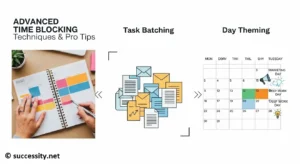
Once you’ve mastered the basics, you can enhance your practice with these pro tips.
- Task Batching: Group similar, small tasks together into a single block. Instead of answering emails as they arrive, create an “Email Batch” block. This prevents constant context switching and preserves your mental energy.
- Day Theming: Assign a theme to each day of the week. For example: Monday is for planning and meetings, Tuesday and Wednesday are for deep creative work, Thursday is for marketing and sales calls, and Friday is for admin and wrapping up.
- Time Blocking vs. Timeboxing: These terms are often confused. Time blocking is about planning your entire day. Timeboxing is about setting a fixed, maximum amount of time for a single task (e.g., “I will spend no more than 45 minutes on this”). You can easily use timeboxing within your time blocks to prevent perfectionism.
- Use Buffer Time: Life is unpredictable. Meetings run over, tasks take longer than expected. Schedule 15-20 minute “buffer” blocks throughout your day. You can use them to catch up, take a quick break, or transition to your next task without feeling rushed.
Your Journey to Intentional Productivity Starts Now
Time blocking isn’t a magic bullet that will solve all your problems overnight. It’s a practice. It’s a skill. And like any skill, it requires patience and adaptation.
But by shifting from a reactive to-do list to a proactive, intentional schedule, you are fundamentally changing your relationship with time. You are telling yourself, and the world, what truly matters. You are making space for deep work, protecting your personal life, and finally moving the needle on your most important goals.
So, here’s your challenge: Try it for just one day. Open your calendar, plan out your next 24 hours, and see how it feels. You might just be amazed at what you can accomplish when you take control of your time.
Frequently Asked Questions (FAQ)
Can I use time blocking if my day is unpredictable?
Absolutely. Use it to schedule your known priorities, leaving flexible “reaction blocks” for unexpected tasks that arise. This structure helps you manage chaos, not ignore it.
Do I have to schedule my entire day?
No, you can start small. Begin by blocking out just one or two non-negotiable “deep work” sessions each day to build the habit before planning your full schedule.
Should I time block my personal life?
Yes, it’s highly recommended. Scheduling personal time, hobbies, and family activities ensures they don’t get pushed aside by work, promoting a healthier work-life balance.
How does time blocking help with procrastination?
It reduces the mental barrier to starting a task. Instead of deciding what to do, your only decision is to honor the commitment you already made on your calendar.
How long does it take to plan a time-blocked day?
A daily planning session usually takes just 10-15 minutes, typically done the evening before. This small investment saves you hours of indecision throughout the day.
About the Author